
Tools / Office
BuildAura Billing Studio
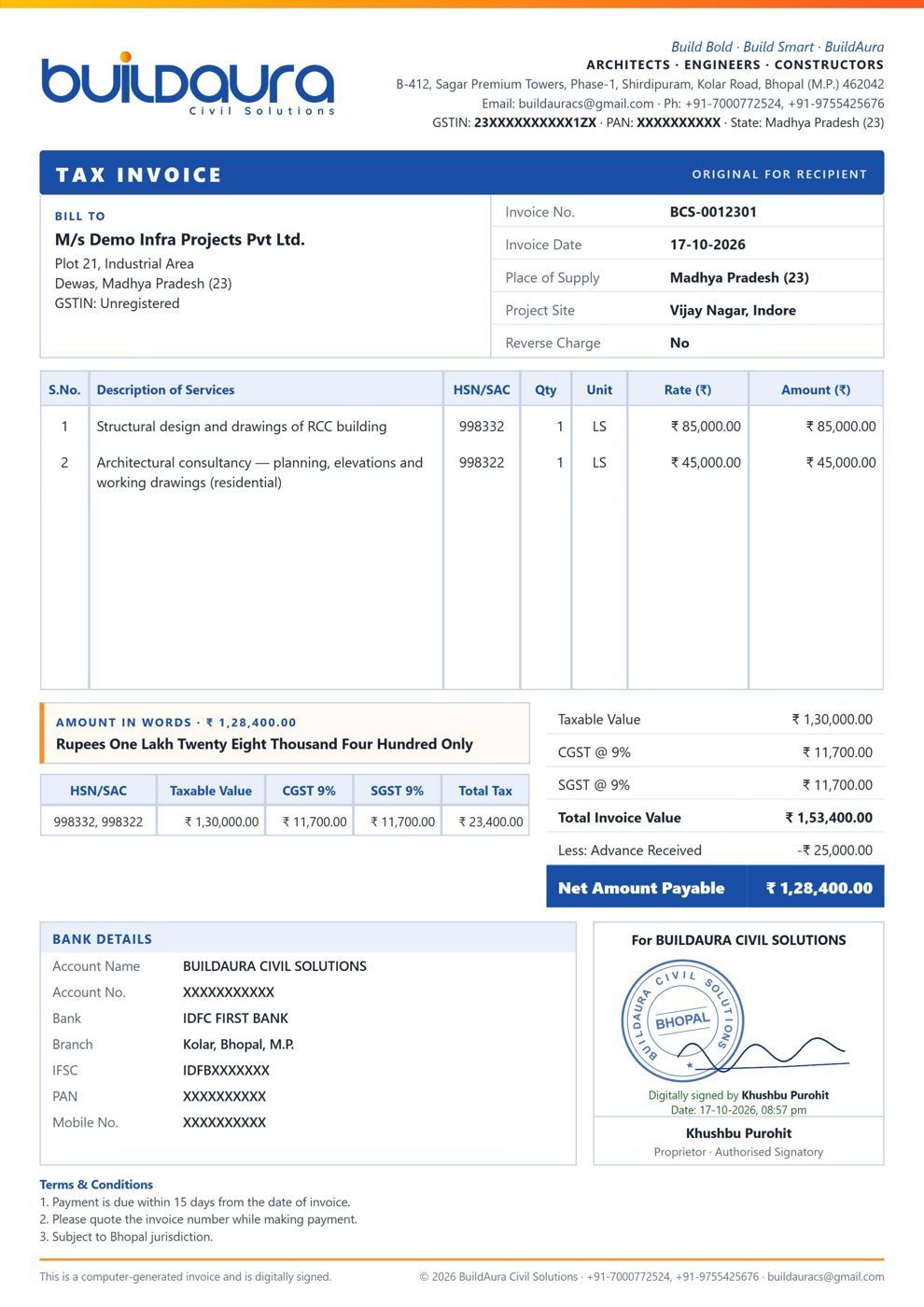
Offline billing for contractors and consultants: GST tax invoices and proforma invoices with your own company details and logo, saved as PDF.
- Your company name, GSTIN, bank details and logo (change any time)
- CGST / SGST / IGST worked out automatically
- Client list, automatic invoice numbering, PDFs filed date-wise
- Invoice register that opens in Excel; data stays on your PC
See how it works
Program files
Free to download; they run only with a paid licence key. Your licensed copy comes after payment, on this page and by email.
Windows 10 / 11, 64-bit. Internet is needed each time the tool starts, for the licence check.
Pay, download, design
Choose a tool
Watch the tutorial and check the sample output on the tool's page.
Pay securely
Razorpay checkout with UPI, cards or net banking. Razorpay emails your payment receipt.
Download here
Your licensed copy and the program download straight from this website.
Activate & design
Open it once with internet and your licence locks to your PC.
Before you buy
What do I get after paying?
Your licence key and a one-time link to your own licensed copy appear on screen at once and are emailed to you. The program files download from the Downloads section above.
Can I use it on two computers?
No. One licence works on one computer; it locks to the first PC it opens on. Buy a second licence for a second PC.
Do I need internet?
Yes, a connection is needed each time the tool starts, for a quick licence check. Your design data stays on your PC.
Will I get an invoice?
Razorpay emails a payment receipt straight away. For an invoice in your company's name, email [email protected] with your payment ID and company details.
What if it does not run on my PC?
Tell us within 7 days. If we cannot fix it, you get a full refund (see the refund policy).